


© 2026 | Shopperoll | All rights reserved.

Shopperoll SMS Notifications
How our order & shipping text messages work, how you opt in, and how to opt out at any time.
Consent is never a condition of purchase, and you can reply STOP anytime.
Shopperoll sends recurring automated transactional text messages about your orders — order confirmations, payment status, shipping and tracking updates, delivery alerts, and return/refund status. Message frequency varies. Message and data rates may apply.
HOW CUSTOMERS OPT IN
Customers can enable SMS notifications through their account settings. The opt-in process requires an affirmative action and is not a condition of purchase.
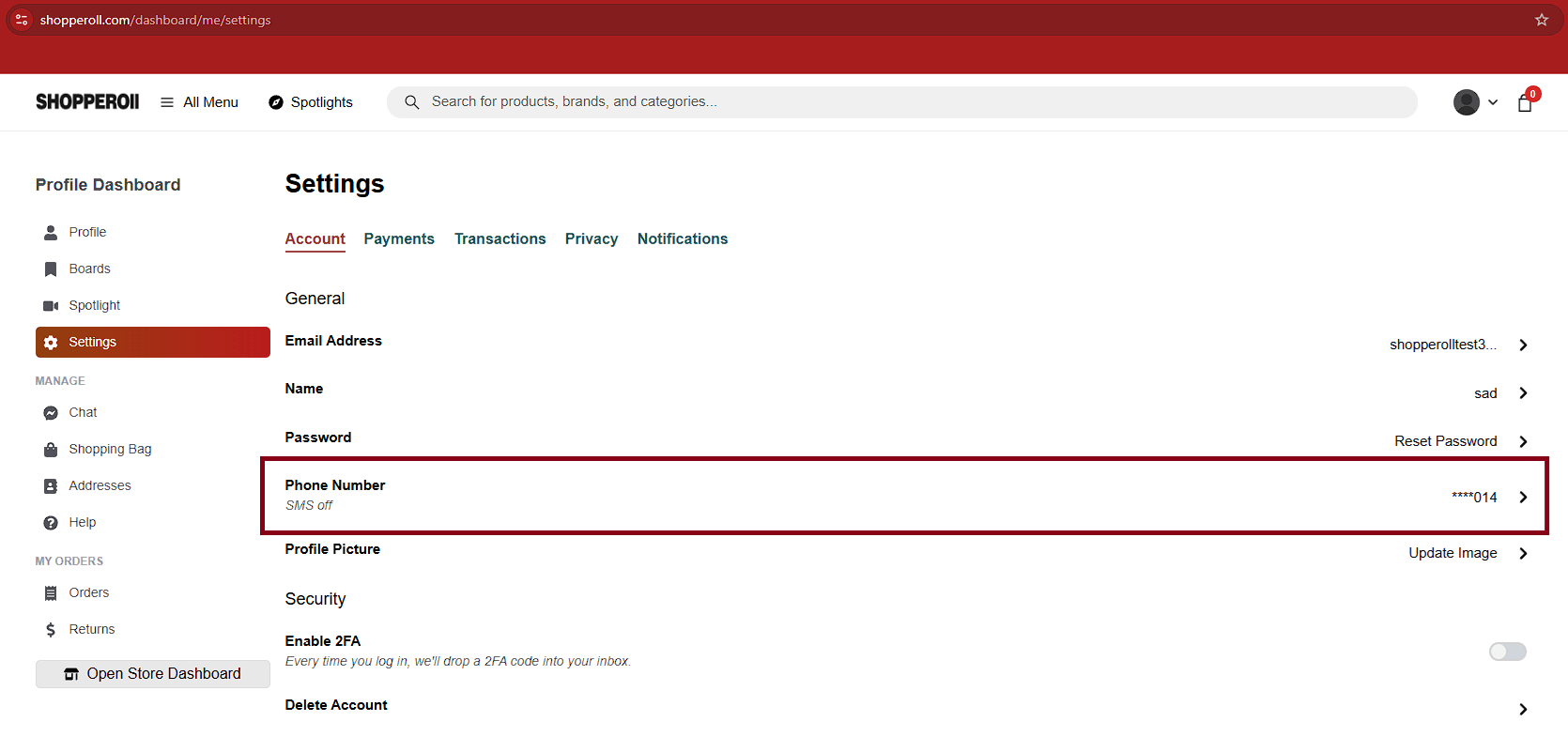
Step 1: Navigate to Account → Settings → Phone Number.
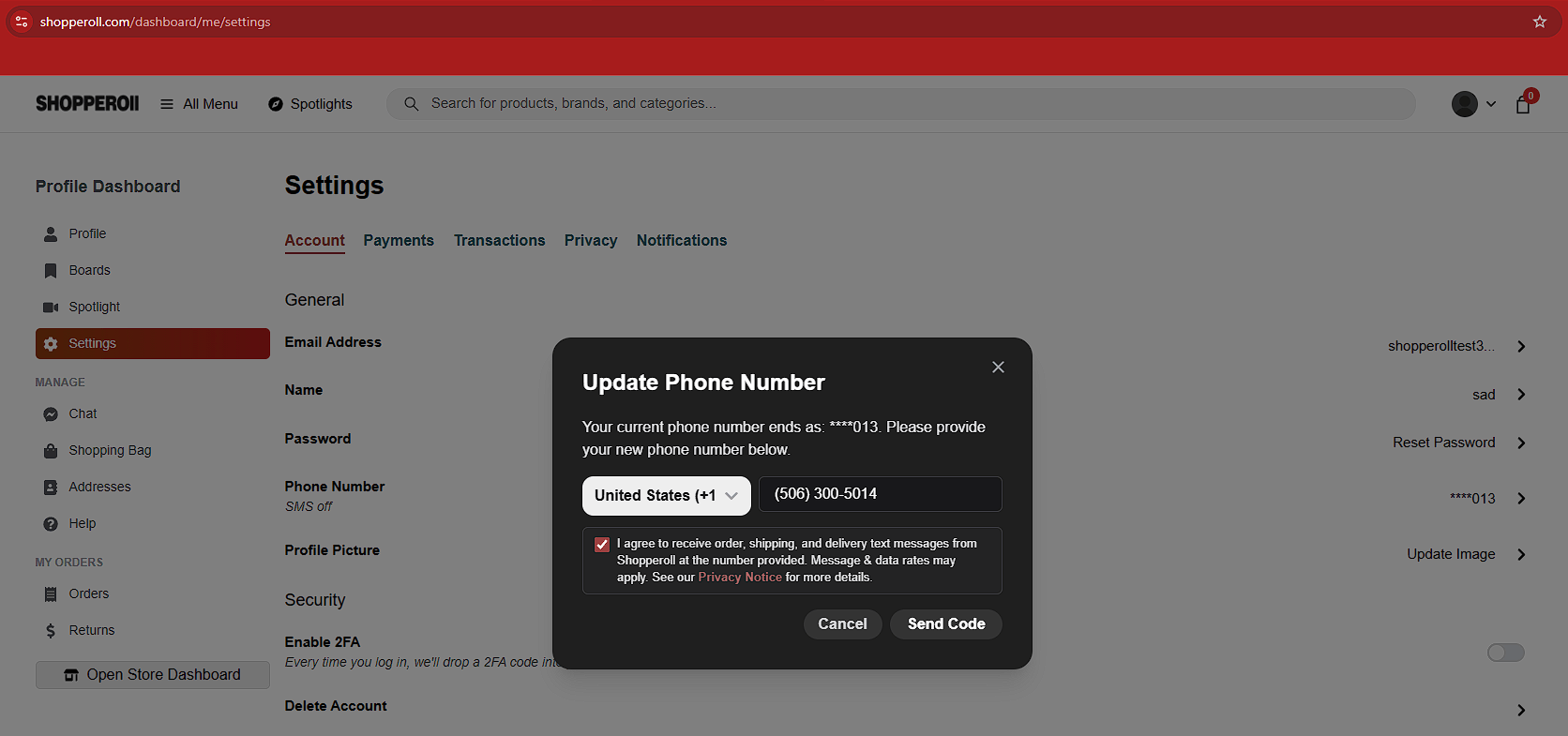
Step 2: Enter a mobile phone number and voluntarily check the SMS consent checkbox (unchecked by default).
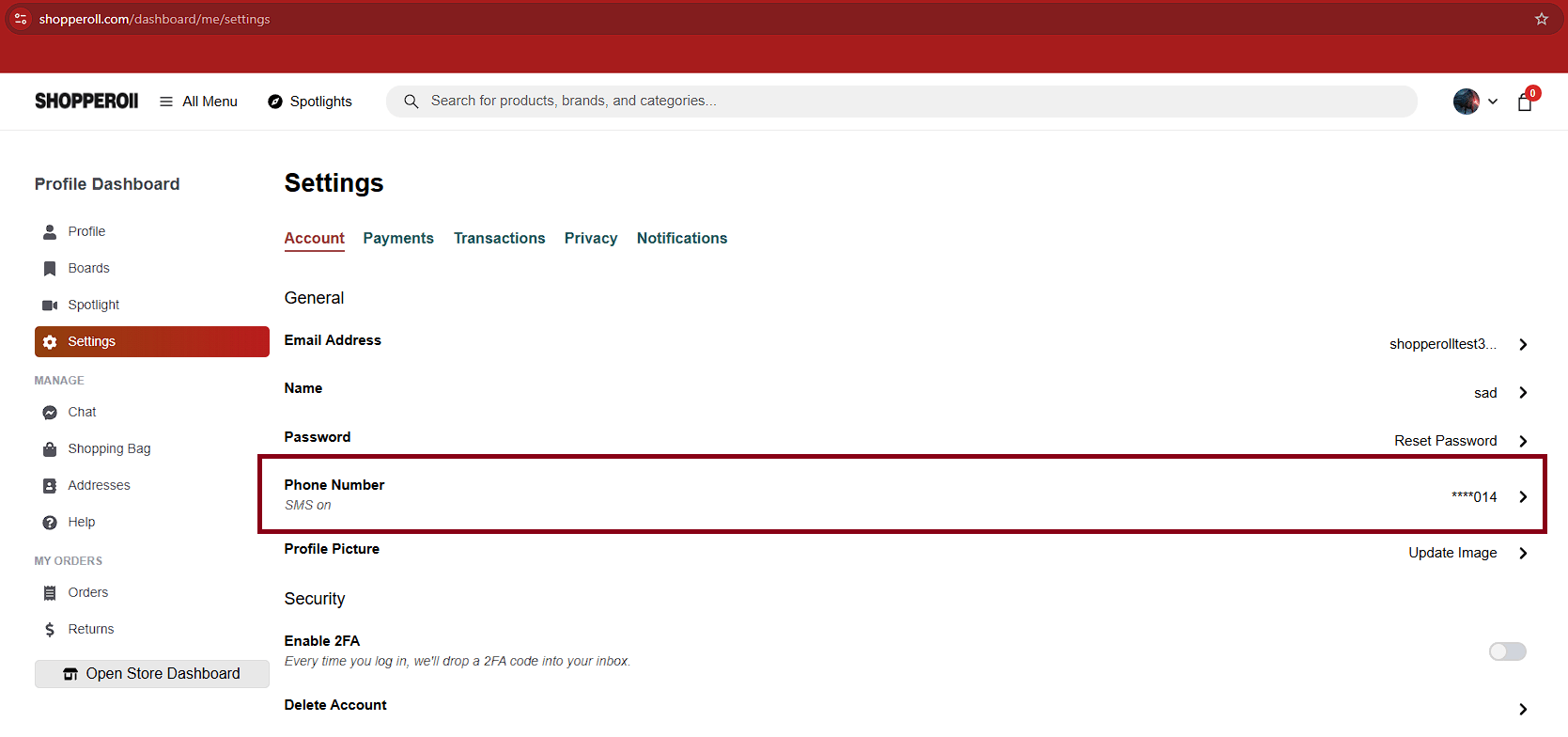
Step 3: Complete SMS verification and enable SMS notifications for order-related updates.
The exact consent language displayed to customers is:
“I agree to receive order, shipping, and delivery text messages from Shopperoll at the number provided. Message & data rates may apply.”
OPT-OUT & HELP
Reply STOP (also STOPALL, UNSUBSCRIBE, CANCEL, END, QUIT) to any message to stop receiving texts; we send one confirmation and then stop. Reply HELP (also INFO) for help, or contact engage@shopperoll.com.
No mobile information is shared with third parties or affiliates for marketing or promotional purposes. Mobile opt-in data and SMS consent are not sold or shared.
© 2026 | Shopperoll | All rights reserved.